
Whenever I startup my Mac, SoftRAID tells me one of my disks has errors. Why does this disk keep having errors?
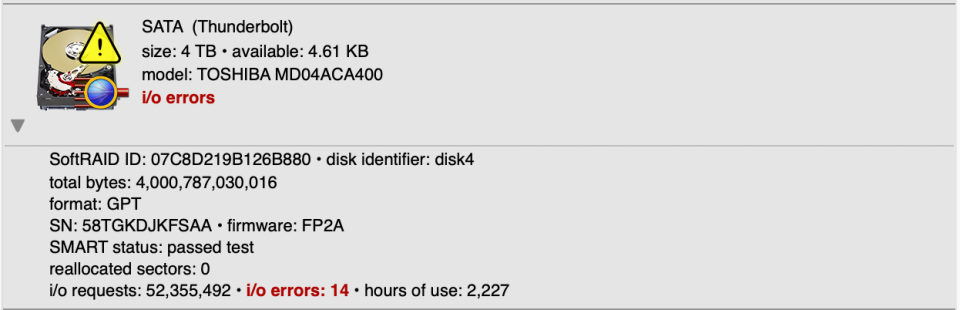
SoftRAID maintains a persistent error count for each disk. This count is stored directly on the disk itself, which means SoftRAID can alert you to a disk problem days or weeks after the error occurred — even if your Mac has been restarted many times since then. Each time you start up, SoftRAID checks these counters and will display a dialog and send an email notification if any disk has a non-zero error count.
This is by design — SoftRAID wants to make sure disk errors are never silently missed.
What to do about disk errors
A non-zero error count should always be investigated. See our FAQ: “Replace a Disk When SoftRAID Reports Disk Errors” for the steps we recommend when a disk has errors.
Resetting the error counters
Once you have investigated and resolved the issue, you can reset the error counters via Utilities menu – Reset Error Counters. You will be given two options:
- Only Error Counters — clears the error count only. Choose this option in most cases.
- I/O and Error Counters — clears both the error count and the I/O counter. SoftRAID also tracks the total number of I/O operations performed on each disk and volume since it was created. While not critical information, some users like to monitor this over time. Selecting this option will reset both counts.
Important: Resetting the error counter does not fix the underlying problem. If errors return after resetting, the disk should be replaced.